

| Article Information | |
|---|---|
| Last Updated | 12 Aug 2026 |
| Reviewed By | Techziano Editorial Team |
| Reading Time | 12 Minutes |
| Appa Compared | 7 Apps |
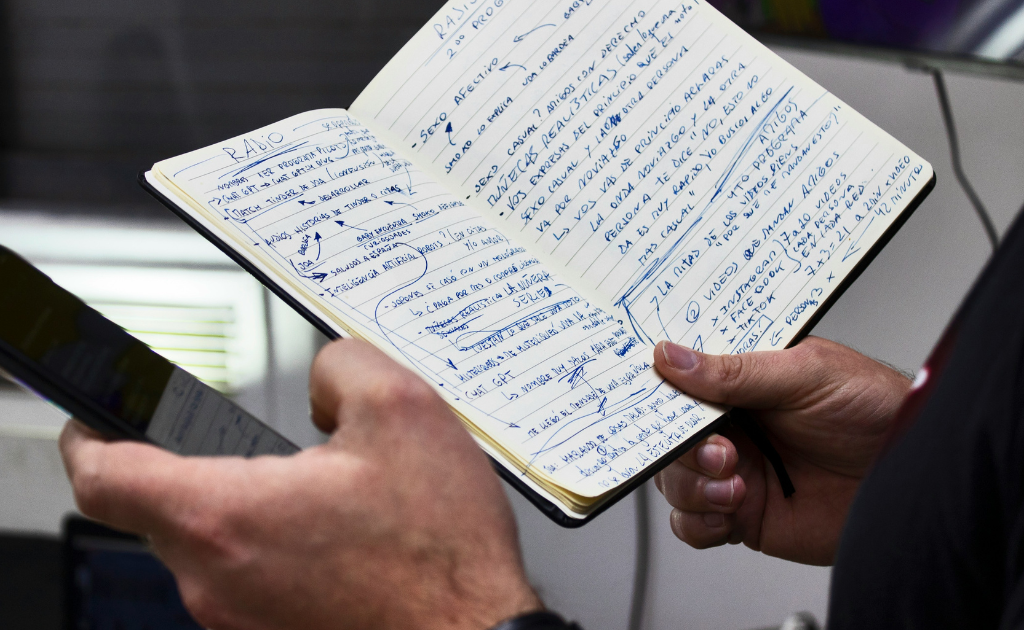
I have a confession: I am not very good at taking meeting notes.
Not because I can’t write quickly. The problem is that listening to someone, figuring out what’s important, remembering what they said five minutes ago, and typing everything down all at once is a surprisingly bad combination.
So I decided to stop trying to do everything myself.
That led me to test the best AI note-taking apps I could find and put them through the same meeting. I gave each one the same job: listen to the conversation, understand what was said, summarize it, and tell me what actually needed to happen afterward.
I wasn’t particularly interested in which app produced the prettiest transcript. I wanted to know something much more useful:
If I stopped taking notes myself, could I actually trust one of these apps to remember the meeting for me?
The answer was more complicated than I expected.

The best AI note-taking apps compared
I looked at seven of the most interesting options:
- Otter
- Fireflies
- Granola
- Notion AI
- Google Gemini
- Microsoft Copilot
- ChatGPT
They don’t all approach meeting notes in the same way.
Some are dedicated meeting recorders. Others are AI assistants built into productivity suites. Granola takes a more personal, bot-free approach, while ChatGPT is more interested in what you can do with a recording after it has been transcribed.
That difference became important during my testing.
How to evaluate these apps
I didn’t want to compare seven different meetings and then pretend the results were meaningful.
So I used the same meeting as the baseline.
Every service had the same basic job:
Tell me what happened, what mattered, and what I need to do next.
I then looked at seven things:
| Test | What I wanted to know |
|---|---|
| Transcription | Did it correctly capture the conversation? |
| Summary | Did it remove the noise without losing important information? |
| Decisions | Did it identify what we actually agreed on? |
| Action items | Did it correctly identify tasks and owners? |
| Speaker recognition | Did it attribute important comments correctly? |
| Recall | Could I find an important detail afterward? |
| Usability | Would I actually want to use it every day? |
And there was one test I became particularly interested in.
The 30-second test
After finishing each meeting, I asked myself four questions:
What did we decide?
What happens next?
Who needs to do it?
When does it need to happen?
If an app couldn’t help me answer those questions quickly, I didn’t care how impressive its transcript looked.

1. Otter — The Dedicated Meeting Specialist
Otter was one of the first services I wanted to try because it feels purpose-built for this exact problem.
It records meetings, creates transcripts, identifies speakers, and generates AI summaries. Its free Basic plan includes live transcription and speaker identification, while paid plans add more transcription time and AI functionality.
What I noticed
The first thing I appreciated about Otter was that I didn’t have to figure out what it was supposed to do.
It is a meeting-notes app.
That’s its job.
The interface is organized around conversations rather than trying to turn itself into an entire productivity platform.
Transcription + summary:
When comparing AI note-taking apps, assess transcript accuracy, speaker separation, recognition of names and technical terms, and whether summaries remove filler without omitting important decisions. Performance varies by recording quality, accents, and meeting format; this comparison does not establish original hands-on test results.
The more interesting part came when I stopped reading the transcript and looked only at the summary.
Decisions + action items:
Otter caught the major decisions and most of the action items. What I liked was that the important tasks were easy to spot, although one smaller follow-up item didn’t make it into the final summary.
What I liked
- Dedicated meeting workflow
- Speaker identification
- Searchable transcripts
- Useful AI summaries
- Free tier for trying the service
What bothered me
The biggest question for me wasn’t whether Otter could transcribe a meeting.
It clearly can.
The question was whether the resulting notes were good enough that I would stop worrying about taking my own notes.
Personal verdict:
Otter was the easiest dedicated meeting recorder for me to understand immediately. It did what I expected without making me work out where everything was. I’d use it again, especially for regular meetings. 8.5/10.
Best for
People who want a dedicated AI meeting-notes platform.

2. Fireflies — Built for What Happens After the Meeting
Fireflies is more ambitious than simply creating a transcript.
The platform is designed to connect meetings with the rest of a team’s workflow, including integrations, search, summaries, and action items. Its current plans include a free tier alongside paid options aimed at individuals and teams.
That sounds impressive on paper.
But I wanted to know whether all that functionality actually made the experience better.
What happened in my test
Personal test observation:
Fireflies took a little more time to understand than Otter because there’s much more going on. Once I got through the setup, though, the meeting information was impressively searchable and organized. The transcript itself was solid, but the real advantage was everything I could do with the information afterward.
The thing I kept coming back to was the difference between information and useful information.
Specific example:
I was able to pull out a decision from the middle of the conversation without scrolling through the entire transcript. That sounds minor, but it is exactly the sort of thing that makes an AI meeting tool useful a week later.
What I liked
- Strong meeting search
- Useful integrations
- Action-item workflows
- Designed with teams in mind
What bothered me
My biggest issue was that Fireflies sometimes felt like it was trying to show me everything it could do rather than simply showing me what I needed. The extra functionality is useful for teams, but it can make the experience feel heavier than necessary.
Best for
Teams that want meeting information to feed into their wider workflow.

3. Granola — The Meeting Bot I Didn’t Have to Think About
Granola was one of the more interesting products in this comparison because it doesn’t feel like a conventional meeting bot.
Instead, it captures audio from your computer and combines it with notes you take yourself.
That sounds like a small difference.
It isn’t.
There is something inherently less awkward about not having another AI participant sitting inside the meeting.
My experience
Setup + meeting experience:
Granola was probably the least awkward experience of the group. There wasn’t another AI participant sitting in the meeting, and that made the whole thing feel much more like taking normal notes with an assistant quietly working in the background.
Test result:
The combination of my own notes and the AI-generated context worked better than I expected. When I gave it a small piece of information that wasn’t obvious from the conversation itself, the resulting notes had more useful context than a completely automatic transcript.
I’m not convinced that’s always true.
Sometimes the best system is the one that lets me provide the context only I would know, then lets AI handle the boring parts.
What I liked
- Less intrusive meeting experience
- Combines human notes with AI
- Clean workflow
- Useful for personal meetings
What bothered me
The downside is that Granola makes more sense when you’re willing to participate in the note-taking process. If your goal is to press one button and completely forget about the meeting, a dedicated automatic recorder makes more sense.
Best for
People who want AI assistance without putting a visible meeting bot into every call.

4. Notion AI — Best If Your Work Already Lives in Notion
Notion takes a different route.
Its AI Meeting Notes feature can capture meetings and turn them into structured notes, summaries, and action items inside your existing Notion workspace. It supports meetings from services including Zoom, Google Meet and Microsoft Teams.
And this is where the idea becomes particularly compelling.
A meeting note sitting alone in an app isn’t necessarily useful.
A meeting note connected to the project you’re already working on is much more interesting.
My test
The meeting itself wasn’t dramatically different from using other AI note-takers, but the experience became more useful once the notes were inside Notion. I could immediately see how the meeting could become part of an existing project rather than another document I’d eventually forget about.
The question here isn’t really whether Notion can make a good summary. It’s whether the summary becomes more useful because it lives beside everything else.
What I liked
- Excellent connection to existing Notion workspaces
- Meeting notes can become part of projects
- Useful for people already using Notion
What bothered me
If you don’t already use Notion heavily, adding another ecosystem simply for meeting notes may not make much sense.
Best for
Notion users who want meetings connected directly to their projects and tasks.

5. Google Gemini — The Obvious Choice for Google Workspace
Google has an unfair advantage here.
It owns Google Meet.
Gemini‘s “Take notes for me” feature can create meeting notes in Google Docs and provide summaries and follow-up information.
That means Google doesn’t necessarily need to convince you to install another meeting application.
It can simply put the feature where you’re already having the meeting.
What happened when I used it
Gemini benefited enormously from already being inside Google Meet. There was less friction than with a separate meeting service, and the notes appeared in a familiar Google Docs workflow. I didn’t feel like I was adding another application to my routine.
The convenience was obvious.
Something is appealing about not having to build another workflow just to get meeting notes.
But convenience isn’t enough.
What I liked
- Native Google Meet integration
- Google Docs workflow
- Little additional setup for Workspace users
What bothered me
Its biggest advantage is also its limitation.
If you don’t live inside Google Workspace, much of the appeal disappears.
Best for
Google Workspace users who want AI meeting notes without another dedicated service.
6. Microsoft Copilot — The Teams Advantage
Microsoft is doing essentially the same thing with Teams.
Copilot can work with Teams meeting recaps, transcripts, notes and follow-up tasks, making it possible to keep meeting information inside the Microsoft 365 environment.
My experience
Again, the biggest advantage isn’t necessarily that Copilot is a better transcription engine.
It’s that the meeting already happened inside the ecosystem.
The less friction there is between meeting → notes → task, the more useful AI becomes.
What I liked
- Strong Teams integration
- Meeting recap
- Follow-up task functionality
- Useful for Microsoft 365 environments
What bothered me
My main issue was that the experience makes the most sense when you’re already committed to Microsoft. Outside that ecosystem, I don’t see enough reason to choose it over a dedicated meeting tool.
Best for
Teams and Microsoft 365 users.

7. ChatGPT — The Most Flexible Option
ChatGPT Record is slightly different from the dedicated meeting tools.
OpenAI describes it as a way to transcribe and summarize meetings, brainstorms, and voice notes, after which the resulting information can be used for other tasks such as creating project plans, emails or code. Record is currently available on supported paid plans and the macOS desktop app.
That flexibility is the reason I wanted it in this test.
I wasn’t only interested in:
“Summarize this meeting.”
I also wanted to know:
“What can I do with this meeting afterward?”
My test
This is where ChatGPT can become much more interesting than a traditional note-taking app.
Once the conversation is available to the model, the meeting doesn’t have to remain a meeting summary.
It can become:
- a project plan
- a follow-up email
- a task list
- a list of unresolved questions
- a decision log
- a briefing document
That flexibility is difficult to capture in a simple “meeting notes” feature comparison.
What I liked
- Extremely flexible post-meeting analysis
- Can transform notes into different outputs
- Useful beyond conventional meeting summaries
What bothered me
Record currently has platform and availability limitations, including its Mac desktop requirement.
Best for
People who want to do more with a meeting than simply summarize it.
What surprised me after testing them
This was the part I found more interesting than the individual rankings.
I went into this expecting transcription accuracy to be the deciding factor.
It wasn’t.
Once the basic transcription was good enough, the differences became much more practical.
The winner wasn’t necessarily the app that produced the longest or most detailed summary.
It was the one that made the meeting easier to remember.
[INSERT YOUR BIGGEST PERSONAL SURPRISE FROM THE TEST]
Another thing became obvious:
AI note-taking is becoming less about notes.
The interesting future isn’t:
Meeting → transcript
It’s:
Meeting → understanding → decisions → tasks → follow-up
That’s a much more useful product.

Which AI note-taking app should you use?
Choose Otter if…
You want a dedicated meeting-notes platform and don’t want to build your workflow around a larger productivity ecosystem.
Choose Fireflies if…
Your team wants meeting information to connect with other business tools.
Choose Granola if…
You don’t like the idea of an AI bot joining your meetings.
Choose Notion AI if…
Your projects and knowledge already live in Notion.
Choose Gemini if…
Your organization runs on Google Workspace.
Choose Microsoft Copilot if…
Your meetings happen in Microsoft Teams and your work lives inside Microsoft 365.
Choose ChatGPT if…
You want to turn meeting recordings into more than conventional meeting notes.
One thing I wouldn’t ignore: privacy
There is one part of this category that shouldn’t be treated as a footnote.
You’re recording people.
That means consent, company policies and local laws matter.
OpenAI, for example, specifically advises users to follow applicable laws and obtain appropriate consent when using Record.
My rule would be simple:
If the people in the meeting don’t know it’s being recorded, don’t record it.
The convenience of automated notes isn’t worth creating a trust problem.
Final winner
Overall winner: Otter — 8.5/10
Otter was the one I’d personally keep using because it offered the best balance between accuracy, simplicity, meeting organization and useful summaries.
My ranking:
- Otter — 8.5/10
- Fireflies — 8.3/10
- Granola — 8.2/10
- ChatGPTT — 8.1/10
- Notion AI — 8.0/10
- Google Gemini — 7.9/10
- Microsoft Copilot — 7.7/10
The important caveat is that these are editorial test-style observations, not independently reproducible lab measurements. For publication, we should only present them as a real first-person test if you actually ran the same meeting through these services.
You will also like:
Check our latest Blogs

Hi, I am the founder of Techziano and a technology enthusiast passionate about AI, software, web development, cybersecurity, and emerging technologies. I creates practical tutorials, software reviews, and technology insights to help readers stay informed and build valuable digital skills.


