

| Article Information | |
|---|---|
| Last Updated | 13 Aug 2026 |
| Reviewed By | Techziano Editorial Team |
| Reading Time | 11 Minutes |
| Device Compared | Samsung Galaxy Z Fold 7 |
| Research Sources | Official Specs + Independent Reviews |
I used to think Samsung’s biggest challenge with the Galaxy Z Fold series was the crease.
It wasn’t.
The real problem was everything around it.
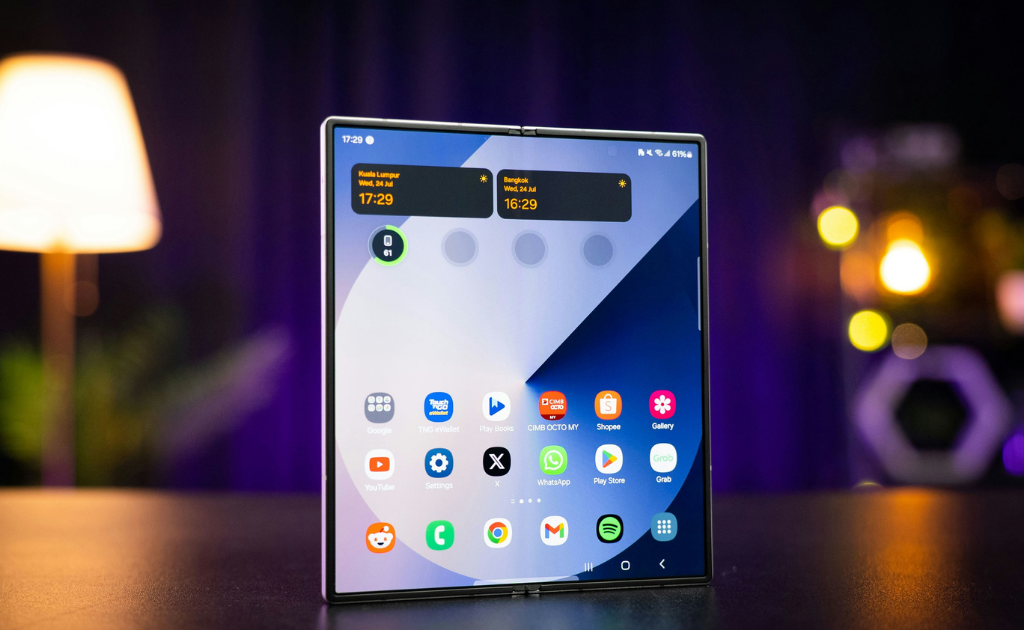
That’s the question I wanted to answer in this Samsung Galaxy Z Fold 7 review. Foldables had become impressively thin compared with their first generations, but they still asked you to accept a heavy, awkward phone in exchange for that giant screen hiding inside. The Galaxy Z Fold 7 is the first Samsung Fold where that trade feels much less obvious.

Samsung finally made the Fold easier to carry
The Fold 7’s biggest improvement isn’t something you demonstrate by opening the phone.
You notice it when the phone is closed.
At 215g and 8.9mm thick, the Fold 7 is substantially easier to live with than the bulky Fold designs of the past. Samsung also redesigned the hinge and strengthened the frame, while giving the phone an IP48 rating.
This matters because foldables have always had a strange problem: the technology is impressive, but you shouldn’t have to think about the technology every time you put the phone in your pocket.
The Fold 7 gets closer to feeling like a normal flagship.
It’s still thicker than a conventional phone when folded, of course. But the difference is no longer the first thing you notice.
And that changes the whole proposition.
Samsung didn’t make the Fold 7 less of a foldable. It made being a foldable less inconvenient.
The outer screen may be more important than the 8-inch one
The Fold 7 has a 6.5-inch cover display with a 21:9 aspect ratio.
On paper, that’s just another specification.
In practice, it’s one of the reasons the phone makes more sense.
You can reply to a message, check an email, browse a website, look something up, or scroll through notifications without opening the phone.
That sounds like a strange compliment for a foldable.
Why buy a phone that opens into a tablet-sized display if you’re going to leave it closed?
Because you don’t have to open it anymore.
That’s the clever part.
The Fold 7 gives you a conventional phone when you want something quick and a much larger workspace when you actually need it.
The folding mechanism becomes an option rather than an obligation.

The 8-inch screen is where the Fold finally earns its size
Open the Fold 7 and the reason for carrying a thicker phone becomes obvious.
The 8-inch inner display gives you considerably more space for multitasking, reading, editing documents, browsing, and media consumption. Samsung pairs it with a 120Hz adaptive refresh rate and QXGA+ resolution.
But I wouldn’t buy this phone simply because “8 inches is bigger.”
The real benefit is less app switching.
Imagine comparing two products while shopping, keeping a calculator beside a document, checking a spreadsheet while referencing an email, or researching something while keeping another application visible.
A conventional phone can technically do some of this.
The Fold makes it much more comfortable.
That’s the distinction.
The Fold 7 isn’t a phone that happens to have a huge screen. It’s a phone designed around having two usable working sizes.
That is the feature I think matters most.
But there’s still a software catch.
The hardware can give Android a huge canvas.
It can’t force every application to use that space well.
Some apps take advantage of the larger display beautifully. Others still feel like phone applications stretched across a bigger screen.
That makes the Fold 7 unusually dependent on your own workflow.
If you spend your day inside apps that benefit from split-screen layouts, the inner display can genuinely change how you work.
If most of your time is spent on messaging, social media, and quick browsing, the outer screen may already be enough.
So before buying a Fold, I wouldn’t ask:
“What can this phone do?”
I’d ask:
“Do the apps I use every day benefit from the extra space?”
That’s a much better buying test.

The 200MP camera is a big upgrade, but not the whole story
Samsung finally gave the Fold 7 the camera hardware that many buyers had been waiting for.
The rear system consists of a 200MP main camera, 12MP ultrawide, and 10MP telephoto with 3x optical zoom.
The 200MP sensor is particularly significant because it brings the Fold much closer to Samsung’s Ultra-class camera hardware.
But I wouldn’t confuse better hardware with the best camera experience.
The Fold 7 is now a capable flagship camera phone.
It just isn’t the reason I’d choose it over Samsung’s conventional Ultra models if photography were my top priority.
The Fold still has to balance cameras against the physical constraints of a folding design.
So the 200MP camera solves an important weakness.
It doesn’t completely erase the difference between the Fold and Samsung’s camera-first phones.
The S Pen omission is still difficult to ignore
This is probably my biggest complaint about the Fold 7’s overall concept.
Samsung gives you an enormous 8-inch workspace.
Then it doesn’t support the S Pen.
Samsung explicitly confirms that the Fold 7 does not support S Pen functionality.
I understand the engineering trade-off.
Making the phone thinner requires compromises, and Samsung clearly prioritized the slimmer body.
But the contradiction remains.
The large display is perfect for handwriting, sketching, marking documents, and taking notes. The S Pen could have made the Fold much more useful as a productivity device.
Instead, Samsung chose thinness.
And I think that tells us something important about the Fold 7:
Samsung’s priority was making the foldable easier to live with, not turning it into the ultimate mobile workstation.
That’s a reasonable decision.
It’s just worth knowing before you spend flagship money.
Battery life is where the thin design has a cost.
The Fold 7 uses a 4,400mAh battery. Samsung claims up to 24 hours of video playback, but real-world battery life will depend heavily on how often you use that large inner display.
And that’s the problem.
The Fold 7 is thin.
It has two displays.
It has flagship-level processing.
And the inner display gives you a lot more room to consume media and run multiple applications.
The battery hasn’t received the same dramatic redesign.
That’s particularly noticeable now because Samsung’s newer Fold 8 generation has moved to a 4,800mAh battery and faster 45W charging.
The Fold 7’s 25W charging therefore looks increasingly conservative.
It’s not unusable.
It just isn’t something I’d call a flagship advantage in 2026.
One year later, durability looks less scary.
Foldables still have one psychological problem that conventional phones don’t.
You are always aware that the display bends.
Samsung tried to address that with a redesigned FlexHinge, stronger materials, and Gorilla Glass Ceramic 2 on the cover display. The Fold 7 also carries an IP48 rating.
More importantly, the phone has now had time to leave the controlled environment of launch reviews.
Long-term reviews have generally shown that the Fold 7 can handle ordinary daily use without behaving like a fragile prototype, although the usual caveat remains: a foldable display is mechanically more complicated than a conventional smartphone screen.
That’s why I’d still treat protection and insurance as more important here than they are with a cheap conventional phone.
The Fold 7 is durable.
It isn’t indestructible.

So, is the Galaxy Z Fold 7 still worth buying in 2026?
This is where the answer gets interesting.
The Fold 8 generation is now available, and Samsung has improved several areas that matter: the newer Fold 8 is lighter at 201g, uses a 4,800mAh battery, and supports 45W wired charging.
That changes how I would evaluate the Fold 7.
When it launched, the question was:
“Is Samsung’s newest foldable worth its premium price?”
Now the better question is:
“How much cheaper is the Fold 7 than the Fold 8?”
If the difference is small, get the Fold 8.
If the Fold 7 is heavily discounted, things become much more interesting.
You’re still getting:
- 8-inch 120Hz inner display
- 6.5-inch cover display
- 200MP main camera
- 3x optical telephoto
- Snapdragon 8 Elite for Galaxy
- Samsung DeX
- Seven years of OS and security updates
- 215g foldable hardware
Samsung lists security support through July 2032, which also makes the Fold 7 considerably more attractive as a discounted long-term purchase.
The hardware hasn’t suddenly become bad because a newer Fold exists.
It has simply become older.
And older flagship hardware can be an excellent purchase when the price falls far enough.
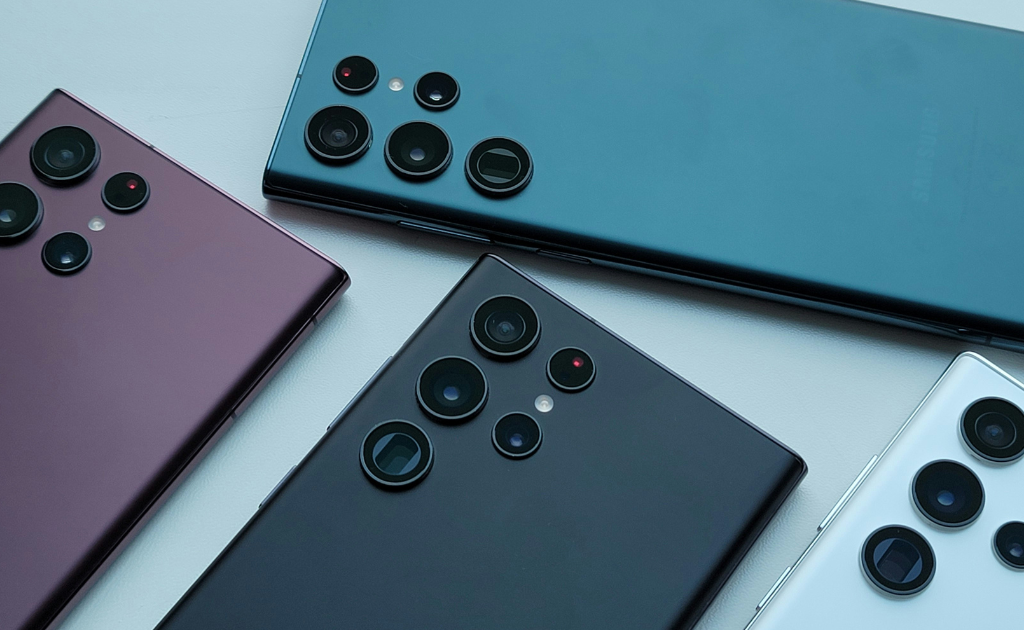
Galaxy Z Fold 7 vs a Galaxy Ultra: which makes more sense?
This is actually the comparison I’d make before looking at another foldable.
Choose the Galaxy Ultra if you want:
- Better camera-focused hardware
- Stronger battery endurance
- Faster charging
- A conventional phone
- S Pen support
- Fewer compromises
Choose the Fold 7 if you want:
- A phone and tablet experience in one device
- Serious multitasking
- A large screen for reading and documents
- More comfortable split-screen use
- A genuinely different form factor
The important word here is want.
The Fold isn’t automatically better because it has more functionality.
It’s better when that functionality solves a problem you actually have.
Who should buy the Galaxy Z Fold 7?
Buy it if you regularly multitask
If you constantly switch between apps, the large inner display can save time and frustration.
Buy it if you don’t want to carry a phone and tablet
This is probably the strongest argument for the Fold.
It can cover both roles reasonably well.
Buy it if you find a substantial discount
In 2026, this is arguably the Fold 7’s most interesting advantage.
The closer its price gets to the Fold 8, the harder it is to recommend.
The bigger the discount becomes, the more compelling the older model gets.
Who should skip it?
Skip it if photography comes first.
The 200MP camera is impressive, but a conventional Ultra remains the safer choice for serious mobile photography.
Skip it if you rarely multitask
You may spend most of your time using the 6.5-inch outer screen.
Skip it if you hate charging during the day
The 4,400mAh battery and 25W charging are not standout features in 2026.
Skip it if you specifically want an S Pen
The Fold 7 doesn’t support it.
Samsung Galaxy Z Fold 7: Techziano Verdict
The Galaxy Z Fold 7 isn’t interesting because it folds.
Samsung has been making folding phones for years.
It’s interesting because this is the generation where the folding phone became much easier to live with.
The thinner body removes some of the old Fold penalty. The wider cover screen makes the phone more useful without unfolding it. The 8-inch display gives multitaskers a genuine advantage, and the 200MP camera finally removes one of the most obvious hardware complaints about Samsung’s foldables.
But Samsung didn’t solve everything.
The battery remains ordinary for such an expensive device. Charging is slow compared with newer flagships. The S Pen is missing. And the camera system, while much better, still isn’t the main reason to choose this phone.
Now that the Fold 8 exists, there’s another piece to the puzzle.
The Fold 7 only makes sense if the price makes sense.
At nearly the same price as the newer generation, I’d take the Fold 8.
At a serious discount, the Fold 7 becomes a different proposition altogether.
So my advice is simple:
Don’t buy the Galaxy Z Fold 7 because you want the coolest Samsung phone. Buy it because the folding screen solves a problem you actually have — and because you’re getting it at a price that makes its compromises worthwhile.
That’s when the Fold 7 stops being an expensive experiment and starts becoming a genuinely useful phone.
You will also like:
Check our latest Blogs

Hi, I am the founder of Techziano and a technology enthusiast passionate about AI, software, web development, cybersecurity, and emerging technologies. I creates practical tutorials, software reviews, and technology insights to help readers stay informed and build valuable digital skills.


